This tutorial introduces several mechanisms that connect, annotate, collect,
or place information in a ConTeXt document. It begins with PDF navigation and
references, then turns to notes and floats, followed by indexes, glossaries,
bibliography, and attachments.
| Need | Section |
|---|---|
| Navigate through the PDF | PDF navigation and bookmarks |
| Refer to another place or an external resource | References and links |
| Add footnotes or margin notes | Notes |
| Place figures and tables | Floats and captions |
| Build indexes or glossaries | Indexes and registers and Synonyms, abbreviations, and glossaries |
| Cite publications | Citations and bibliography |
| Embed files in the PDF | Attachments |
Contents
Two commands activate the main PDF navigation features:
- \setupinteraction to enable clickable links and bookmarks (other options available)
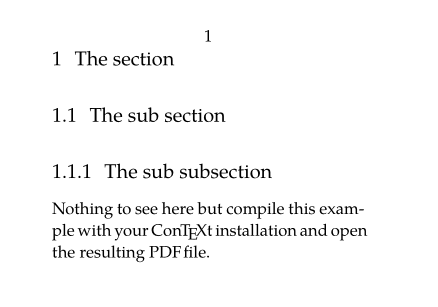
- \placebookmarks to provide bookmarks to the PDF viewer (in the PDF viewer's navigation panel, you can navigate through the various sections like a clickable table of contents). You have to provide the list of the sectioning levels you want to include into the PDF, add optional second list defining the levels you want to see expanded when the PDF is open.
The following example includes sections and subsections, but expands only sections by default:
-
\setuppapersize[A8,landscape]
\setupinteraction[state=start]
\setupbodyfont[pagella,8pt]
\placebookmarks                % HERE
  [section,subsection]
  [section]

\starttext
\startsection[title={The section}]
\startsubsection[title={The sub section}]
\startsubsubsection[title={The sub subsection}]
\stopsubsubsection
Nothing to see here but compile this example with
your \ConTeXt\ installation and open the resulting
PDF file.
\stopsubsection
\stopsection
\stoptext
-
References and links
Internal references
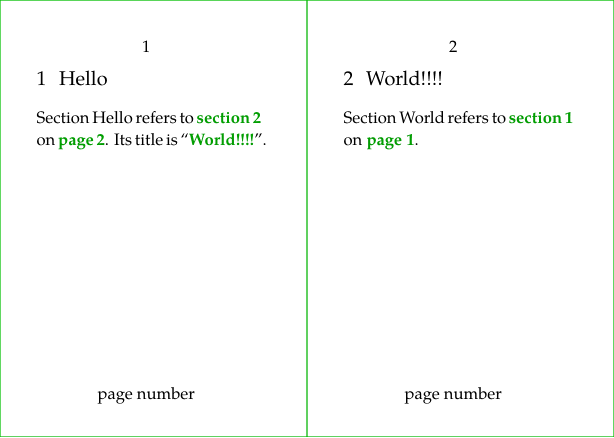
Many elements have a reference option like \startsection. \placefigure and \placetable directly require a reference as argument.
Then you can use:
- \in for referencing by the number,
- \at for referencing by the page number,
- \about for referencing by the text.
-
\definepapersize[sheet][width=104mm,height=74mm]
\setuppapersize[A8][sheet]
\setuppaper[nx=2,ny=1]
\setuparranging[XY]
\showframe[edge]
\setupbodyfont[pagella,8pt]
\setupinteraction[state=start]
\setupfootertexts [page number]

\starttext

\startsection
  [title={Hello},
   reference={sec:hello}]

Section Hello refers to \in{section}[sec:world] on \at{page}[sec:world].
Its title is \about[sec:world].
\stopsection

\page

\startsection
  [title={World!!!!},
   reference={sec:world}]

Section World refers to \in{section}[sec:hello] on \at{page}[sec:hello].
\stopsection

\stoptext
-
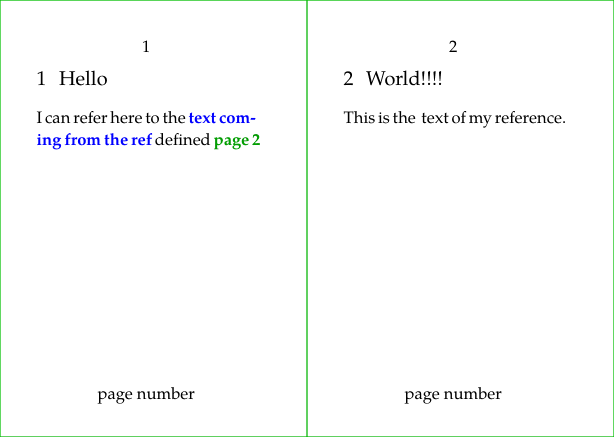
You can also define a reference anywhere you like with \reference[reflabel]{text}.
-
\definepapersize[sheet][width=104mm,height=74mm]
\setuppapersize[A8][sheet]
\setuppaper[nx=2,ny=1]
\setuparranging[XY]
\showframe[edge]
\setupbodyfont[pagella,8pt]
\setupinteraction[state=start]
\setupfootertexts [page number]

\starttext

\startsection
  [title={Hello},
   reference={sec:hello}]

I can refer here to the \in[myref] defined \at{page}[myref]
\stopsection

\page

\startsection
  [title={World!!!!},
   reference={sec:world}]

This is the \reference[myref]{\color[blue]{text coming from the ref}} text of my reference.
\stopsection

\stoptext
-
External links and URLs
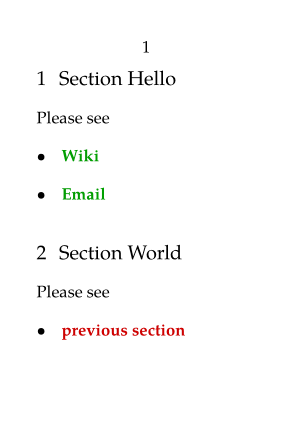
Hyperlinks can be defined with \goto{the text} [url(the url.org)]. The URL should be specified within url(…). Without it, \goto can be used to refer to internal references.
-
\setuppapersize[A8]
\setupbodyfont[pagella,8pt]
\setupinteraction[state=start]
\starttext

\startsection
  [title={Section Hello},
   reference={sec:hello}]

Please see
\startitemize
\item \goto{Wiki}
  [url(http://wiki.contextgarden.net)]
\item \goto{Email}
  [url(mailto:spam@example.com)]
\stopitemize

\stopsection

\startsection
  [title={Section World},
   reference={sec:world}]

Please see
\startitemize
\item \goto{previous section}[sec:hello]
\stopitemize

\stopsection

\stoptext
-
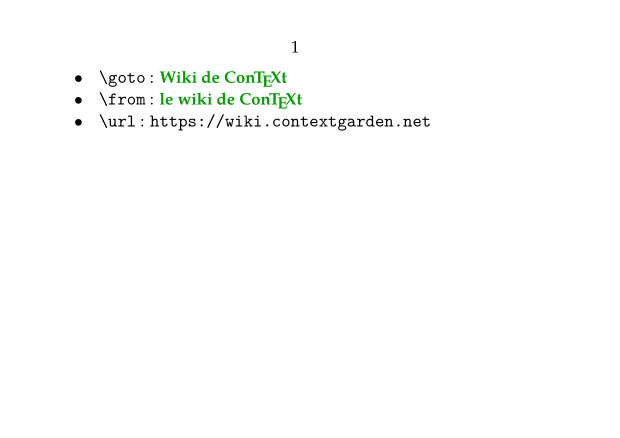
The same URL is often used several times. One can define it once with \useurl [arg1] [arg2] [arg3] [arg4] (in the setup area for example) and use it several times with \goto or \from or Template:url
- \useurl [the label] [the url part one] [the url part two if needed] [the text]
- \goto will return a link with the text provided to it
- \from will return a link with the text to be displayed as a hypertext link as provided as 4th argument of \useurl
- \url will return a link with the url as text.
-
\setuppapersize[A7,landscape]
\setupbodyfont[pagella,8pt]
\setupinteraction[state=start]

\useurl [ConTeXtWiki] [https://wiki.contextgarden.net] [][le wiki de \ConTeXt]

\starttext

\startitemize [packed]
\startitem \tex{goto}~: \goto {Wiki de \ConTeXt} [url(ConTeXtWiki)] \stopitem
\startitem \tex{from}~: \from [ConTeXtWiki] \stopitem
\startitem \tex{url}~: \url [ConTeXtWiki] \stopitem
\stopitemize

\stoptext
-
Notes
Footnotes
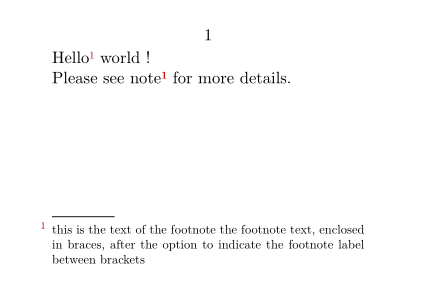
The \footnote[label]{the note content} command places the text given as an argument as a footnote, and it is possible to indicate a label between square brackets in order to refer to it later with the \note command.
-
\setuppapersize[A8,landscape]
\setupinteraction[state=start]
\starttext
Hello \footnote[MyNote]{this is the text of the footnote
the footnote text, enclosed in braces, after the option
to indicate the footnote label between brackets} world !

Please see note \note[MyNote] for more details.
\stoptext
-
Margin notes
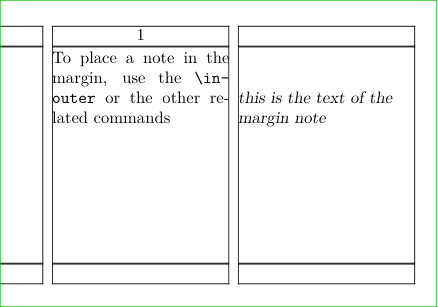
To place a note in the margin, use the \inouter{the note content} or the other related commands. \setupmargindata is used to configure the typesetting.
-
\setuppapersize[A8,landscape]
\setupinteraction[state=start]
\setuplayout [width=3cm,rightmargin=3cm]
\showframe
\setupalign[tolerant]
\setupmargindata[outer][style=slanted]

\starttext

To place a note in the margin,
use the \tex{inouter} or
the\inouter[MyNote]{this is the text of
the margin note} other related commands

\stoptext
-
Floats and captions
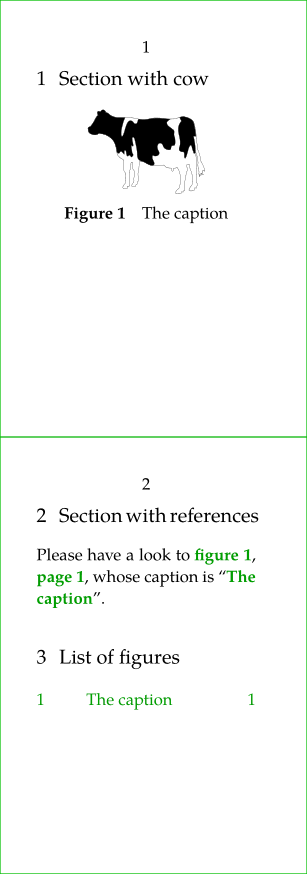
Floating Objects (floats) are placed (and numbered) automatically with \placefloat (or its sister commands \placefigure, \placetable…). It allows to create floating figures or table with caption.
Floats are placed at an appropriate position determined by the TeX float placement algorithm. The algorithm has a number of options that can influence float placement.
Floats include "figure", "table", and "intermezzo". Additional floats can be defined using \definefloat.
Additionally, you have access to commands like \placelistoffigures, \placelistoftables which creates a list of the "figures" / "tables" / "intermezzos" used in the document.
\placefloat[location][reference]{caption}{the content of the float}
-
locationis one or several (comma separated) option to influence the float placement, see \placefloat -
referenceis the label to use for reference to the float
-
\definepapersize[sheet][width=52mm,height=148mm]
\setuppapersize[A8][sheet]
\setuppaper[nx=1,ny=2]
\setuparranging[XY]
\showframe[edge]
\setupbodyfont[pagella,8pt]
\setupinteraction[state=start]

\starttext

\startsection[title={Section with cow}]
\placefigure
  [here,force]
  [fig:myfig]
  {The caption}
  {\externalfigure[cow.pdf][width=2cm]}
\stopsection

\page

\startsection[title={Section with references}]
Please have a look to
\in{figure}[fig:myfig],
\at{page}[fig:myfig],
whose caption is \about[fig:myfig].
\stopsection

\startsection[title={List of figures}]
\placelistoffigures[criterium=all]
\stopsection
\stoptext
-
To tweak the numbering scheme, please see Section numbering
Indexes and registers
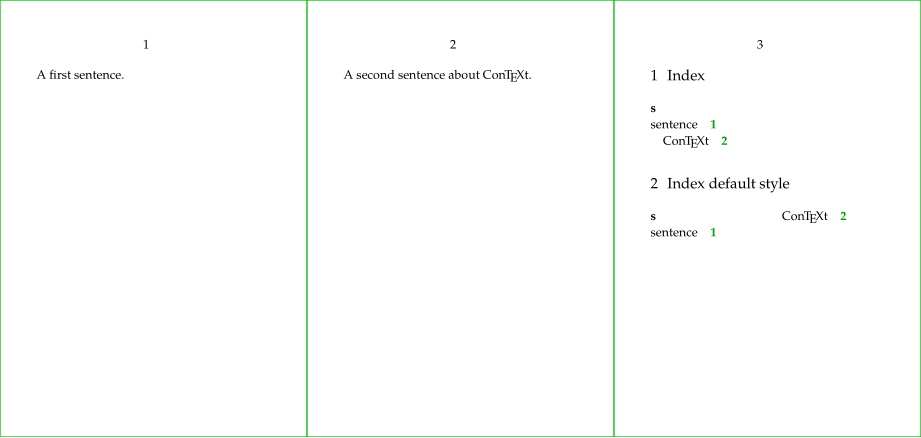
Index entries are registered with \index and the index itself is inserted with \placeindex. As you see, the text used for the \index command is not inserted at the place of the command.
-
\definepapersize[sheet][width=156mm,height=74mm]
\setuppapersize[A8][sheet]
\setuppaper[nx=3,ny=1]
\setuparranging[XY]
\showframe[edge]
\setupbodyfont[pagella,6pt]
\setupinteraction[state=start]

\starttext

A first sentence.
\index{sentence}
\page

A second sentence about \ConTeXt.
\index{sentence+\ConTeXt}
\page

\startsection[title={Index}]
\placeindex[n=1]
\stopsection

\startsection[title={Index default style}]
\placeindex
\stopsection

\stoptext
-
Synonyms, abbreviations, and glossaries
First we define a category of synonyms with \definesynonyms and then we can define each term with \abbreviation. Each newly defined term is then available as a command.
-
\setuppapersize[A8,landscape]

\definesynonyms
  [abbreviation]
  [abbreviations]
  [\myinfull]

\abbreviation {UN}  {United Nations}
\abbreviation {UK}  {United Kingdom}
\abbreviation {NL}  {Netherlands}

\starttext

In the \UK, or \myinfull{UK}.

In the \UN, or \myinfull{UN}.


\startsection[title={Glossary}]
 \placelistofabbreviations
\stopsection

\stoptext
-

Citations and bibliography
Four commands are key
-
\usebtxdataset
to load the bibliography source file,
- Bibliographic references can be stored in a BibTeX file for example (but other formats are allowed), which must be specified as an option to the \usebtxdataset [thebibfile.bib] command.
- For demo on this wiki we will use a buffer as bibliography source.
- \usebtxdefinitions to load the citation and referencing style,
- \cite to insert a reference, and selecting specific fields when required,
-
\placelistofpublications
to insert the list of the bibliographical references,
- the citations will be properly typeset only if \placelistofpublications is placed somewhere in the document
-
\setuppapersize[A7,landscape]
\setupinteraction[state=start]
\startbuffer[biblio]
@Book{2024MathManual,
  title     = {Mathematics in \ConTeXt},
  author    = {Hagen, Hans and Sundqvist,Mikael P.},
  edition   = {1},
  year      = {2024},
  publisher = {pragma-ade, NL},
  url       = {http://www.pragma-ade.nl/general/manuals/mathincontext-paper.pdf},
}
\stopbuffer

\usebtxdataset [biblio.buffer]
\usebtxdefinitions [apa]       % style

\starttext

Have a look at \cite[2024MathManual],
entitled       \cite [title] [2024MathManual] and
from           \cite [author] [2024MathManual],
issued in      \cite [year] [2024MathManual].

\startsection[title=Bibliography]
  \placelistofpublications
\stopsection
\stoptext
-

Attachments
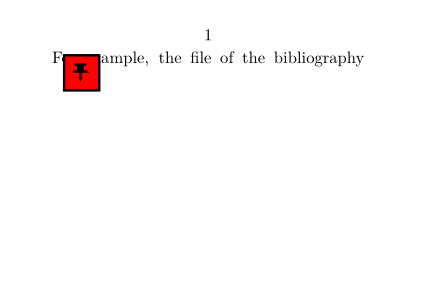
The \attachment (or \startattachment) command is used to insert a document as an attachment. Do not forget \setupinteraction[state=start] to make it effective.
2 remarks for this demo: we have to use a buffer to produce the file to be attached, and the rendering contains a glitch that you will not get locally.
Customization is performed with \setupattachment and a \placeattachments is also available.
For example, with location=none, your attachments get collected until \placeattachments.
-
\setuppapersize[A8,landscape]
\setupinteraction [state=start]

\startbuffer[biblio]
@Book{2024MathManual,
  title     = {Mathematics in \ConTeXt},
  author    = {Hagen, Hans and Sundqvist,Mikael P.},
  edition   = {1},
  year      = {2024},
  publisher = {pragma-ade, NL},
  url       = {http://www.pragma-ade.nl/general/manuals/mathincontext-paper.pdf},
}
\stopbuffer

\savebuffer[biblio,file=biblio.bib,prefix=no]
\setupattachments[
  color=red,
  symbol=Pushpin,
]
\starttext

For example, the file of the bibliography
\attachment
  [file={biblio.bib}]

\stoptext
-
You can link to an attachment if it is a PDF file and use its name as a prefix:
\attachment[method=hidden, file={other.pdf}]
\goto{Click here to open other}[other::]