Contents
Summary
The command
\testpage
inserts a penalty which is likely to cause a page break here if there is less than the specified amount of space left on the current page.
Settings
Description
To keep a run of text together, test the number of lines available on the current page using
\testpage
[n], where n is the number of lines required. If there are not n lines available, a page break will be inserted at the location of the
\testpage
command.
Examples
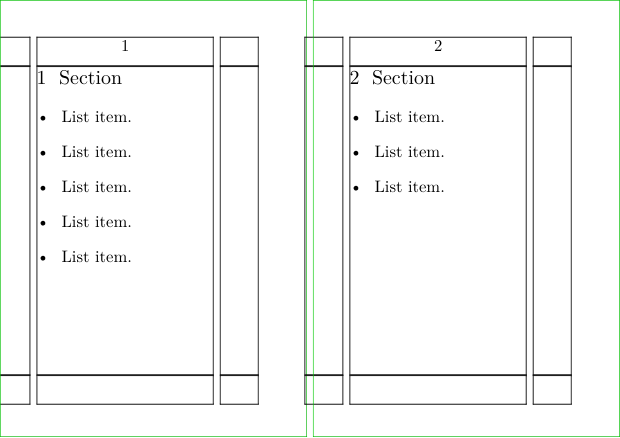
Example 1
-
\setuppapersize[A8][A7,landscape]
\setuplayout[width=3cm]
\setuppaper[nx=2]
\setuparranging[XY]

\showframe

\setuphead[section][before={\testpage[10]}]

\starttext
    \section[title={Section}]
    \startitemize
    \dorecurse{5}{ \startitem List item. \stopitem }
    \stopitemize

    \dorecurse{2}{
      \section[title={Section}]
      \startitemize
      \dorecurse{3}{ \startitem List item. \stopitem }
      \stopitemize
    }

\stoptext
-
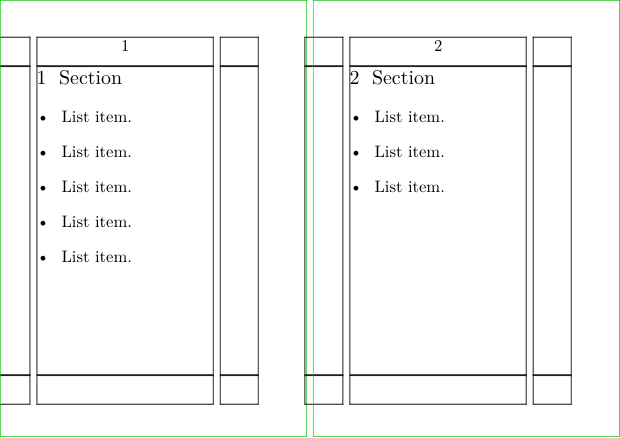
Example 2
-
\setuppapersize[A8][A7,landscape]
\setuplayout[width=3cm]
\setuppaper[nx=2]
\setuparranging[XY]

\showframe

\setuphead[section][before={\testpage[][2.5cm]}]

\starttext
    \section[title={Section}]
    \startitemize
    \dorecurse{5}{ \startitem List item. \stopitem }
    \stopitemize

    \dorecurse{2}{
      \section[title={Section}]
      \startitemize
      \dorecurse{3}{ \startitem List item. \stopitem }
      \stopitemize
    }

\stoptext
-
Notes
See also
- page-brk.mkiv
- \testcolumn
- \page
- \testpagesync depending on stretching and shrinking glue, this might work more reliable