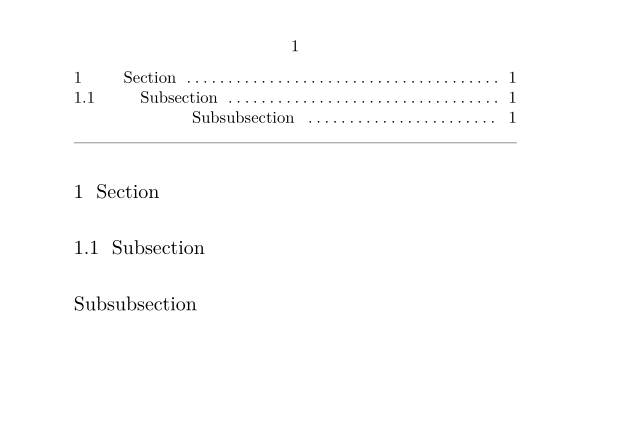
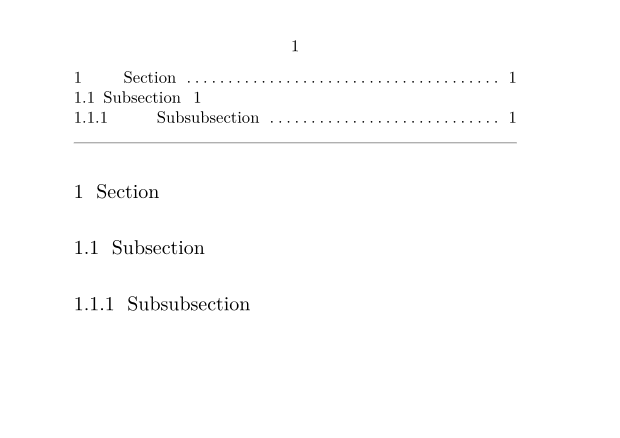
|
Option
|
Explanation
|
| location |
| If you use \writebetweenlist, "here" cares for using the current location (page number). |
|
| criterium |
| Default criterium is criterium=local for a newly defined list. That can cause an empty \placelist. Criterium criterium=component is used to establish ToC (and other lists) via project structures. |
| local |
list of the current section/chapter |
| all |
complete list (e.g., ToC of a whole book) |
|
| list |
| Inherit settings from this named list |
|
| width |
| The width of the heading number (which is left aligned). |
|
| label |
| Use an automatical, language dependent label like “chapter” in front of the list entries (see \setuplabeltext. |
| yes |
use label |
| no |
don’t use a label |
| name |
use your own named label |
|
| starter |
| Gets inserted before the (section) number |
|
| stopper |
| Gets inserted after the (section) number |
|
| command |
| Replace the rendering of the whole list entry with your own macro (three arguments: number, text, page no.). |
|
| numbercommand |
| Replace the rendering of the number with your own macro. |
|
| textcommand |
| Replace the rendering of the list entry text with your own macro. |
|
| pagecommand |
| Replace the rendering of the page number with your own macro. |
|
| pagenumber |
|
| headnumber |
|
| before |
| Insert before each list entry. |
|
| after |
| Insert after each list entry. |
|
| inbetween |
| Insert between list entries. |
|
| margin |
| Extra indent between the margin (where text would normally start) and the heading number. |
|
| distance |
| The gap between the heading number and the heading. |
|
| aligntitle |
| Should an unnumbered section align in the table of contents under the number rather than the title? |
|
| numberalign |
|
| align |
|
| hang |
| Indent text after number? |
|
| left |
| Insert before entry text. |
|
| right |
|
| interaction |
|
| style |
| Style of the whole entry. |
|
| color |
| Color of the whole entry. |
|
| numberstyle |
|
| numbercolor |
|
| textstyle |
|
| textcolor |
|
| pagestyle |
| Style of the page number. |
|
| pagecolor |
| Color of the page number. |
|
| extras |
| Trick to insert stuff into a list, e.g., page breaks |
|
| order |
| command |
keeps the order of appearance if there are injections (\writebetweenlist) |
| all |
keeps the order of appearance if there are injections (\writebetweenlist) |
| title |
sorts the list by title (only for section lists without injections) |
|
| alternative |
| Overall layout of the list. The alternatives a, b, c, etc. are predefined. The most flexible solution to implement a custom layout is to define a new custom one which can be set as argument to alternative. Note that a custom alternative will not automatically be interactive (i.e. it will not produce clickable links); one must implement this interactivity in one's custom alternative by using (for instance) the \goto command. See \definelistalternative for exact details. |
| a |
number – title – pagenumber |
| b |
number – title – spaces – pagenumber |
| c |
number – title – dots – pagenumber |
| d |
number – title – pagenumber (continuous) |
| e |
title (framed) |
| f |
title (left, middle or right aligned) |
| g |
title (centered) |
| command |
use with own 3-parameter macro, e.g command=\MyListEntry. removes linking and bookmarks in the parameters, unless added by the supplied macro. |
| interactive |
use with own 3-parameter macro command=\MyListEntry. keeps linking and bookmarks in the parameters. |
|
| maxwidth |
| Max. width of the entry text. |
|
| pageprefix |
|
| pagestarter |
| Insert before the page number. |
|
| pagestopper |
| Insert after the page number. |
|