Syntax (autogenerated)
Syntax
| \setupformulae[...,...=...,...] | |
| color | name |
| location | left right |
| left | text |
| right | text |
| align | flushleft middle flushright |
| option | middle |
| strut | yes no |
| distance | dimension |
| margin | dimension standard yes no |
| leftmargin | dimension |
| rightmargin | dimension |
| indentnext | yes no |
| alternative | name |
| spacebefore | dimension |
| spaceafter | dimension |
| separator | text |
| numberconversion | numbers characters Characters romannumerals Romannumerals text |
| ...=...,... | inherits from \setupcounter |
Description
Using option [way=bysection] resets the numbering to 1 at each new section, but does not prefix the numbers with the section number, to do that, use the following options:
\setupformulae[way=bysection,prefixsegments=section]
Example
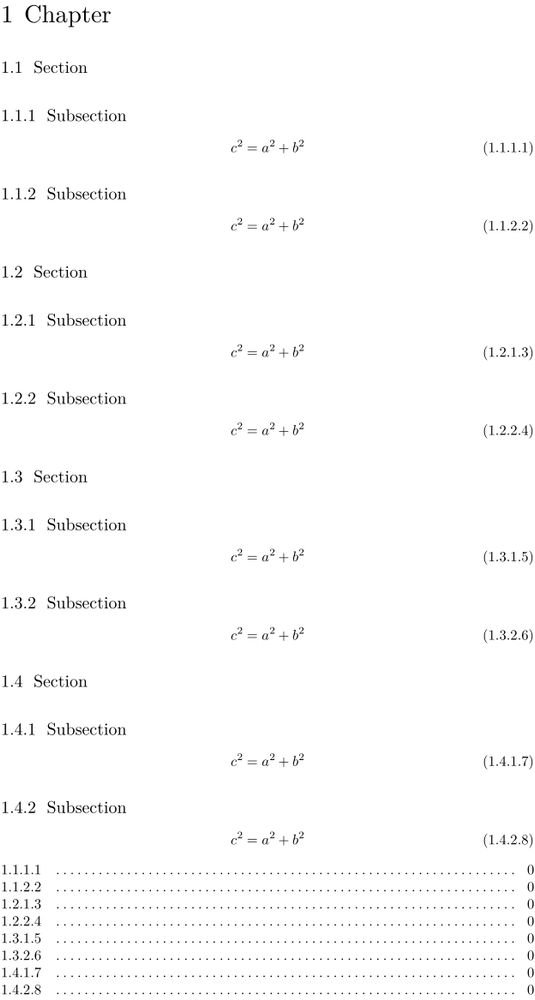
In order to show all section numbering in the formula, one can use the prefixset option (by default it is limited to 3 levels, see strc-def) as follows:
-
\setupcounter[formula][way=bytext]
\setupformulas[way=bytext,prefixsegments=1:*,prefixset=all]

\startchapter[title=Chapter]
\dorecurse{4}{
\startsection[title=Section]
\startsubsection[title=Subsection]
\startplaceformula[reference=eq1] \startformula c^2 = a^2 + b^2 \stopformula \stopplaceformula
\stopsubsection
\startsubsection[title=Subsection]
\startplaceformula[reference=eq2] \startformula c^2 = a^2 + b^2 \stopformula \stopplaceformula
\stopsubsection
\stopsection
}
\stopchapter

\placelist[formula][criterium=all,alternative=c]
-
See also
Help from ConTeXt-Mailinglist/Forum
All issues with: