Contents
Summary
The command \processblocks is used to process blocks
Settings
Description
Print only the
block
s with
tag
, but process them all. This is important when
enumerations
are in play, because items that are not processed don't increment the counter. If no tags are specified, all the
block
s are printed.
Examples
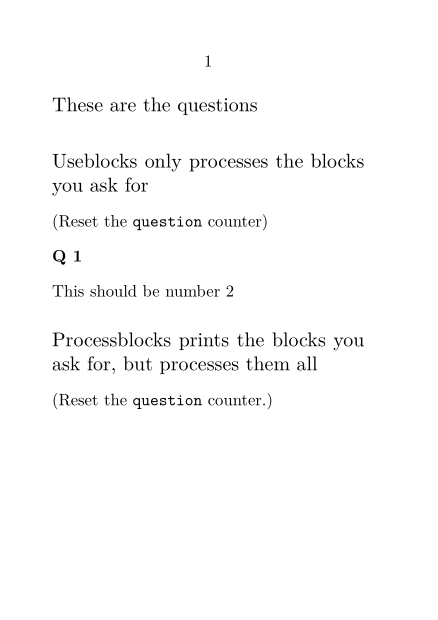
Example 1
-
\setuppapersize[A7]
\starttext
\defineblock[question]
\defineenumeration[Q][text=Q]

\subject{These are the questions}

\beginquestion[first]
\Q This should be number 1
\endquestion

\beginquestion[last]
\Q This should be number 2
\endquestion

\subject{Useblocks only processes the blocks you ask for}

(Reset the \type{question} counter)
\resetQ

\useblocks[question][last]

\subject{Processblocks prints the blocks you ask for, but processes them all}

(Reset the \type{question} counter.)
\resetQ

\processblocks[question][last]

\stoptext
gives
-
Notes
See also
- strc-blk.mkiv
- \defineblock to define a new kind of block.
- \setupblock to set up block style.
- \keepblocks to start displaying blocks where they are defined.
- \hideblocks to stop displaying blocks where they are defined.
- \useblocks to display blocks.
- \selectblocks to display only blocks mentioned in the current section.
- \forceblocks
- \nomoreblocks