Syntax (autogenerated)
| \definefirstline[...][...][...=...,...] | |
| [...] | name |
| [...] | name |
| ...=...,... | inherits from \setupfirstline |
Syntax
| \definefirstline[..][] | |
| \definefirstline[...][...][...=...] | |
| [...] | name of firstline style |
| [...] | name of firstline style to inherit from |
| alternative | line word |
| n | integer: number of words to affect |
| style | Style Alternative |
| color | IDENTIFIER: color name |
Description
Define a style to apply only to the first line of a paragraph.
Once defined, the style can be applied by invoking
\setfirstline on a paragraph.
One of two methods can be requested by setting the keyword
alternative:
- line applies the style to the entire line,
-
word
applies the style only to the first
nwords of the first line.
NB: The style substitution takes place on node level, hence small capitals require a font which implements them as a feature, not as a separate file (e. g. as of 2013 Latin Modern won’t do).
Examples
Bold and Small Caps
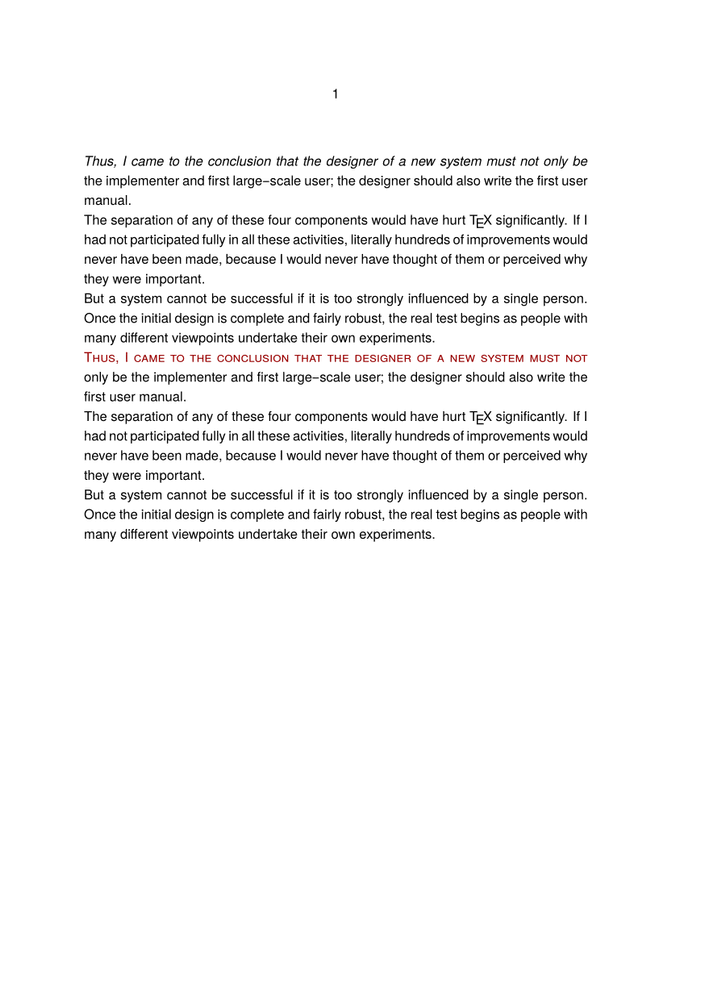
Typeset the first line once in bold, and then in small caps:
-
\setupbodyfont [heros] %% important: smallcaps capable font!

\definefirstline [italicfirstline] [
  alternative=line,
  style=italic,
]

\definefirstline [smallcapsfirstline] [
  alternative=line,
  color=darkred,
  style=smallcaps,
]

\starttext

  \setfirstline[italicfirstline]    \input knuth \par
  \setfirstline[smallcapsfirstline] \input knuth \par

\stoptext
-
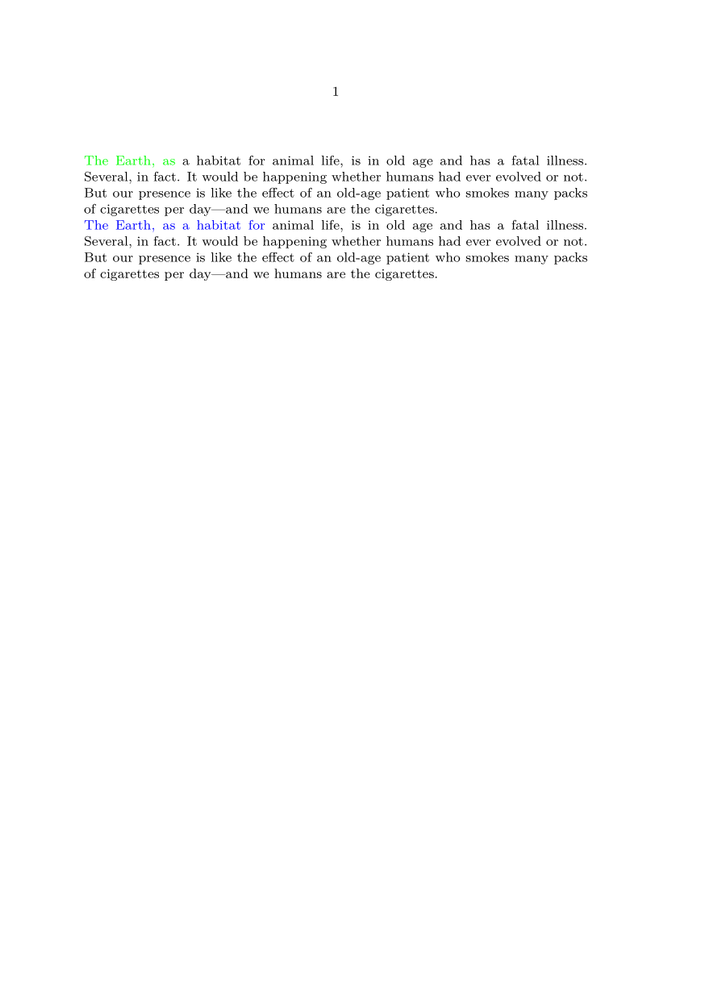
To affect only the first three or six words change to the alternative
word and set the parameter n to the desired value:
-
\definefirstline [threegreenwords] [
  alternative=word,
  color=green,
  n=3,
]

\definefirstline [sixbluewords] [
  alternative=word,
  color=blue,
  n=6,
]

\starttext

    \setfirstline[threegreenwords]  \input ward \par
    \setfirstline[sixbluewords]     \input ward \par

\stoptext
-
Changing Case
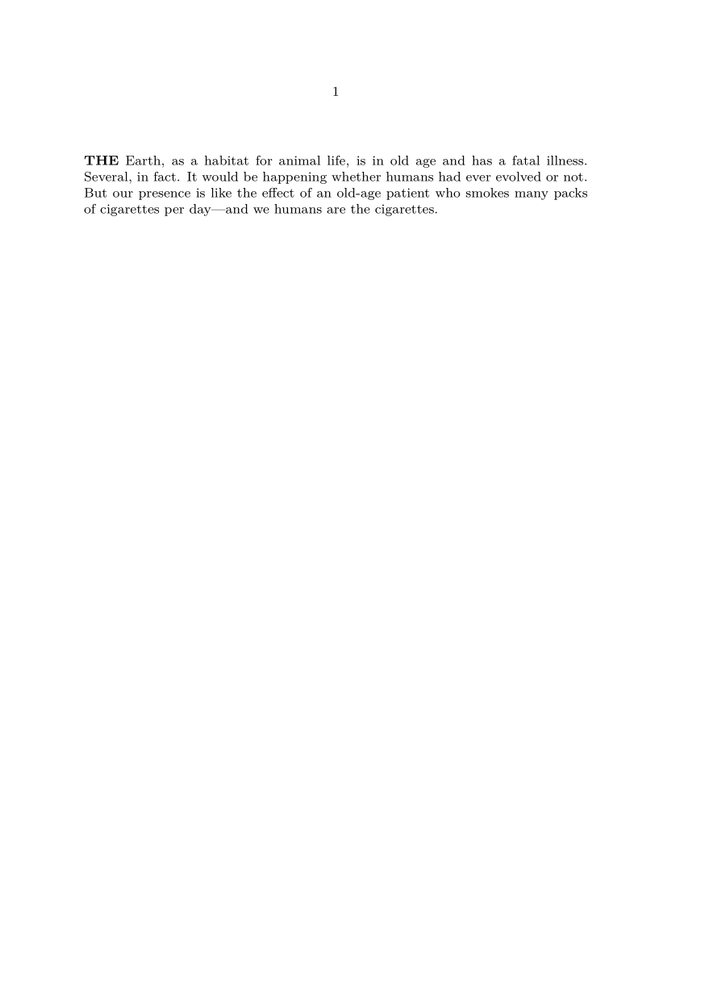
Technically, \WORD is not a style, so to configure words in uppercase a different approach is necessary. The style can be defined in terms of a Lua handler, such as:
-
\definealternativestyle[UpperCase][{\bf\uppercasing}][]
-

Where the handler code resembles:
-
\startluacode

fonts.handlers.otf.addfeature {
     name    = "uppercasing",
     type    = "substitution",
     prepend = true,
     data    = characters.uccodes
}

fonts.handlers.otf.addfeature {
     name    = "lowercasing",
     type    = "substitution",
     prepend = true,
     data    = characters.lccodes
}

\stopluacode

\definefontfeature[lowercasing][lowercasing=yes]
\definefontfeature[uppercasing][uppercasing=yes]

\unexpanded\def\uppercasing{\addff{uppercasing}}
\unexpanded\def\lowercasing{\addff{lowercasing}}

\definealternativestyle[UpperCase][{\bf\uppercasing}][]

\definefirstline [UpperCaseWords] [
  alternative=word,
  style=UpperCase,
  n=1,
]

\starttext
  \setfirstline[UpperCaseWords] \input ward
\stoptext
-
See also
- \setfirstline
- Characters words and fonts/Style Alternatives
- Source code: typo-fln.mkiv (with examples) typo-fln.lua .
Help from ConTeXt-Mailinglist/Forum
All issues with: